
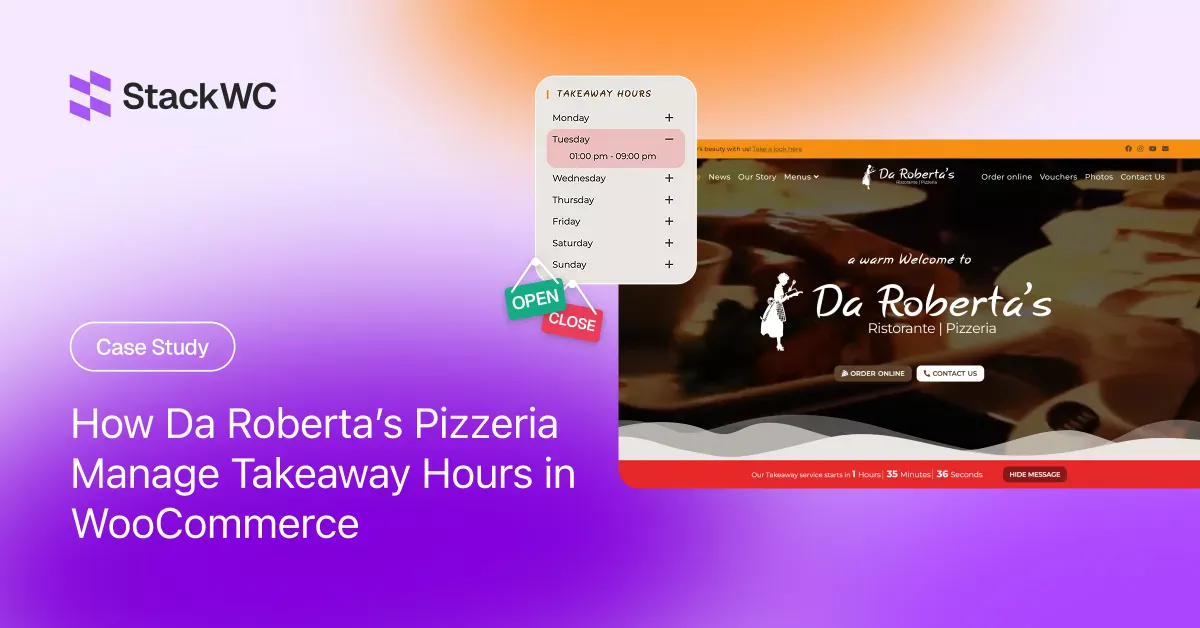
Looking to manage takeaway hours in WooCommerce? Here’s how Da Roberta’s Ristorante & Pizzeria in Galway, Ireland, does it using the Open Close Store for WooCommerce plugin by StackWC.
About Da Roberta’s Ristorante & Pizzeria
Da Roberta’s Ristorante & Pizzeria is a family-owned Italian restaurant located at 161 Upper Salthill Road in Galway, Ireland. Known for its authentic cuisine prepared by Italian chefs using ingredients sourced directly from their home region in Italy, Da Roberta’s has built a loyal local following and a growing base of online takeaway customers.
Their online ordering system runs entirely on WordPress and WooCommerce, allowing customers to place takeaway orders directly at darobertas.ie. Their takeaway service runs seven days a week, with opening and closing times that vary by day — making automated schedule management essential.
Business at a Glance:
- Restaurant: Da Roberta’s Ristorante & Pizzeria
- Website: darobertas.ie
- Location: 161 Upper Salthill Rd, Galway, Ireland
- Platform: WordPress + WooCommerce
- Plugin Used: Open Close Store for WooCommerce by StackWC
The Challenge: Managing Takeaway Hours on a WooCommerce Store
Running a restaurant with an online ordering system is not as simple as publishing a menu. One of the most critical friction points restaurants face with WooCommerce is the gap between their real-world operating hours and what customers experience on the website.
Da Roberta’s faced this challenge daily:
Different hours on different days. Their takeaway service opens at 12:00 PM on weekends but 1:00 PM on weekdays, and closes at different times throughout the week. Managing this manually would require constant website updates.
Customer frustration from off-hours visits. Without a live notice, customers would attempt to order outside of service hours and encounter a confusing or broken checkout experience with no explanation.
No native WooCommerce solution. WooCommerce does not include built-in support for opening and closing hour schedules, or any customer-facing communication about store availability.
Need for a live countdown. Customers visiting outside service hours deserve to know exactly when ordering opens again — not a static “we’re closed” message, but a real-time timer that gives them a reason to return.
The Solution: Open Close Store for WooCommerce by StackWC
To solve this, Da Roberta’s installed the Open Close Store for WooCommerce plugin by StackWC
A dedicated plugin built specifically for businesses that need to communicate and enforce real-world business hours on their WooCommerce store.
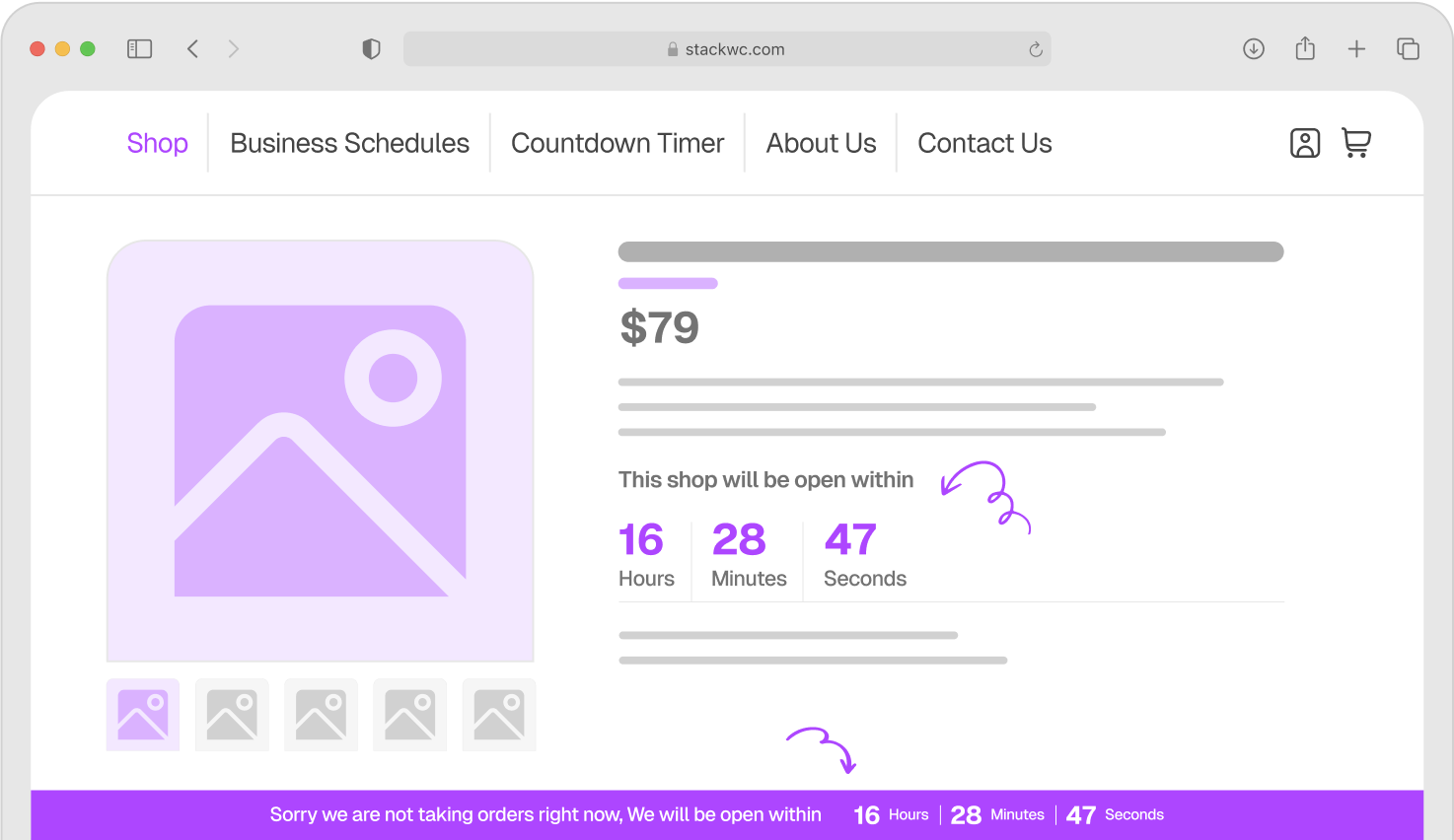
The plugin lets store owners set custom opening and closing times per day, with support for multiple shifts if needed. It automatically blocks new orders outside those hours and displays customer-facing notices, countdown timers, and status bars — so visitors always know whether ordering is available and, if not, exactly when it will be.
For a restaurant like Da Roberta’s, the plugin acts like an automated front-of-house manager. It handles the “we’re currently closed” communication entirely on its own, so the team doesn’t need to touch the website when service starts or ends each day.
How Da Roberta’s Uses the Plugin
Setting Up a Per-Day Takeaway Schedule
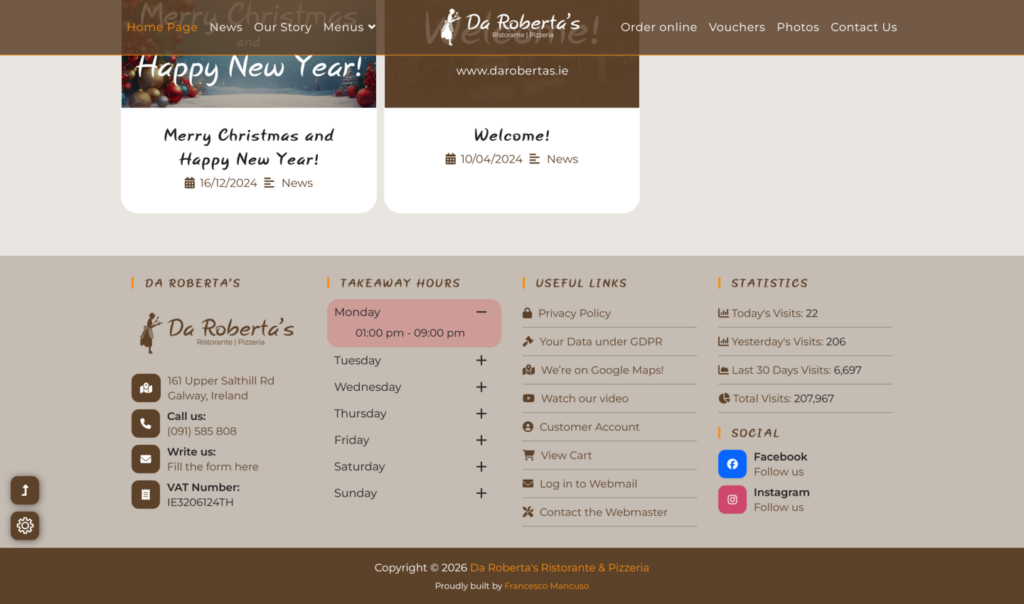
Da Roberta’s configured their precise takeaway hours directly inside the plugin settings. Each day of the week has its own opening and closing window:
| Day | Takeaway Hours |
|---|---|
| Monday | 1:00 pm – 9:00 pm |
| Tuesday | 1:00 pm – 9:00 pm |
| Wednesday | 1:00 pm – 9:00 pm |
| Thursday | 1:00 pm – 9:30 pm |
| Friday | 1:00 pm – 10:00 pm |
| Saturday | 12:00 pm – 10:00 pm |
| Sunday | 12:00 pm – 9:00 pm |
Once configured, the plugin enforces this schedule automatically — no daily manual updates required from the team.
The Live Countdown Notice Bar
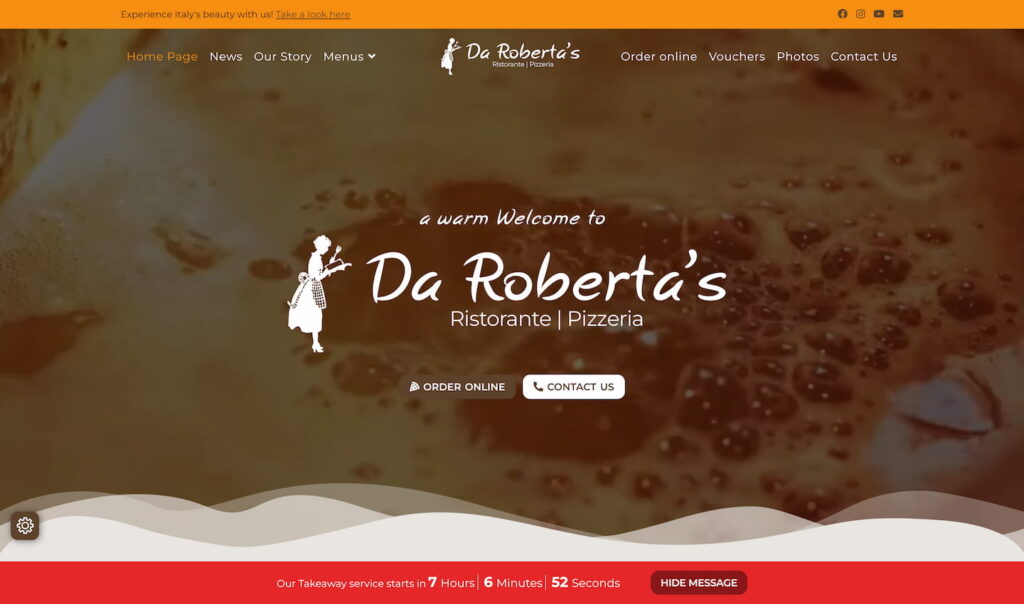
The most visible feature on the Da Roberta’s website is the live countdown timer. When their takeaway service is currently closed, a clear notice appears showing customers exactly how many hours and minutes remain until ordering opens again.
The message reads: “Our Takeaway service starts in 0 Hours 0 Minutes 0 Seconds” — with the numbers updating in real time. A “Hide Message” button allows customers who have already read the notice to dismiss it, keeping the experience clean.
This single feature transforms a potentially frustrating off-hours visit into a clear, helpful interaction. Instead of wondering why the cart isn’t working, customers immediately know when to come back.
Automatically Blocking Orders When Closed
Behind the scenes, the plugin automatically disables the checkout flow outside of configured service hours. Customers cannot complete an order during a time when the kitchen is not taking orders — preventing incorrect orders, kitchen confusion, and disappointed customers.
Results & Impact
Fully automated scheduling, 7 days a week. The schedule runs without any manual input from the Da Roberta’s team. The store opens and closes on its own, every single day.
Zero off-hours orders accepted. Because checkout is automatically blocked outside of service windows, the restaurant never receives an order it cannot fulfil due to timing.
Better customer experience. Visitors outside of service hours are greeted with a friendly, informative countdown rather than a broken checkout or silent error. This reduces frustration and increases the likelihood that customers return when the store opens.
Less support overhead. With the store status and opening time clearly communicated on-site, the team receives far fewer calls or messages asking “are you open for takeaway right now?”
Why Open Close Store Works Especially Well for Restaurants
Restaurants are among the most natural use cases for this plugin, and Da Roberta’s is a clear example of why.
Unlike a general e-commerce store that can fulfil orders at any hour, a restaurant’s WooCommerce store is deeply time-dependent. Orders only make sense when the kitchen is operational. An order placed at midnight is not just unhelpful — it creates a real operational problem and a disappointed customer the next day.
The Open Close Store plugin bridges the gap between the physical reality of service hours and the always-on nature of a WooCommerce website. It brings the online ordering experience into alignment with how the restaurant actually operates.
The live countdown timer is particularly effective in the food context. A hungry customer who sees “Takeaway opens in 38 minutes” is far more likely to set a reminder and return than one who encounters a disabled cart with no explanation.
Key Plugin Features Da Roberta’s Uses
Per-day schedule configuration — Different opening and closing times set for each day of the week, matching the restaurant’s real service hours precisely.
Live countdown timer — A real-time counter displayed on the site showing customers how long until the takeaway service opens, updated every second.
Notice/status bar — A sitewide banner that surfaces the store status and countdown prominently, without disrupting the rest of the page.
Hide Message button — Customers can dismiss the notice after reading it, keeping the browsing experience clean.
Automatic order blocking — Checkout is disabled outside of configured service hours, preventing orders the restaurant cannot fulfil.
Zero-maintenance automation — Once the schedule is set up, no daily manual updates are needed. The plugin handles open and close transitions entirely on its own.
Try It for Your WooCommerce Store
If you run a restaurant, takeaway service, or any local business with specific operating hours, your online store should know that too.
Open Close Store for WooCommerce by StackWC takes minutes to set up and works automatically from day one. It’s trusted by 1000+ WooCommerce stores worldwide, has earned 20+ five-star reviews, and comes with a 14-day money-back guarantee.