
Introduction
You’ve got the store. You’ve got the products. You’re putting in the work.
But the sales still feel… stuck.
It’s one of the most frustrating feelings for any WooCommerce store owner. You know your products are good but something between “landing on your store” and “completing a purchase” is breaking down.
Here’s the good news: it’s almost always fixable.
In this post, you’ll discover 10 proven ways to increase WooCommerce sales practical, no-fluff strategies that real store owners use every day. No complicated tech. No big budget required.
Whether you’re doing $500 a month or $50,000, these strategies will help you get more out of the traffic you already have. Let’s dig in.
Why Most WooCommerce Stores Leave Money on the Table
Most stores don’t lose sales because of bad products. They lose sales because of a bad experience.
Think about it from your customer’s perspective. They land on your store, find something they like and then hit a wall. Maybe checkout is too complicated. Maybe the product page doesn’t answer their questions. Maybe the site loads too slowly on their phone.
According to Baymard Institute, nearly 70% of shoppers abandon their cart before completing a purchase. That’s an enormous amount of potential revenue walking out the door.
The reasons usually come down to:
- Too many steps at checkout
- Slow page load times
- Lack of trust or social proof
- Confusing or incomplete product information
- Poor mobile experience
Every single one of these is fixable. And you don’t need a developer or a big agency to do it. You just need the right approach and a little consistency.
10 Proven Ways to Increase WooCommerce Sales
1. Speed Up Your Store
Slow stores lose customers fast. Research from Google and Deloitte shows that even a 1-second delay in load time can cut conversions by up to 7%.
Your store’s speed is one of the highest-impact improvements you can make and it costs nothing but a bit of time.
How to do it:
- Go to GTmetrix or PageSpeed Insights and run a free speed test
- Install a caching plugin like WP Rocket or the free W3 Total Cache
- Compress and resize all your product images using Smush or ShortPixel
- Switch to a lightweight WooCommerce theme like Astra or Kadence
- Remove any plugins you’re not actively using every extra plugin adds load time
Start with image optimisation. It’s usually the quickest win and makes an immediate difference.
2. Simplify Your Checkout Process
A long, complicated checkout is one of the top reasons shoppers abandon their cart.
Every extra field, every extra page, every extra click is another opportunity for your customer to change their mind.
How to simplify:
- Go to WooCommerce → Settings → Checkout and remove any unnecessary fields
- Enable guest checkout so people don’t have to create an account
- Install a plugin like Checkout Field Editor to customise and trim your form
- Enable popular payment methods including Stripe, PayPal, and Buy Now Pay Later options
- Use a one-page checkout layout so everything happens on a single screen
The goal is to get from “add to cart” to “order confirmed” in as few steps as possible.
3. Reduce Cart Abandonment With Follow-Up Emails
Someone added your product to their cart and vanished. Don’t let that be the end of the story.
Cart recovery emails are one of the highest-ROI tactics in eCommerce. A well-timed email can bring back 10 –15% of abandoned carts that’s revenue you’ve already half-earned.
How to set it up:
- Install a cart recovery plugin like CartFlows or Retainful
- Set up an automated email to trigger 30–60 minutes after abandonment
- Write a short, friendly subject line something like “Did you forget something?”
- Include the product image and a direct link back to checkout
- Optionally, add a small discount code in a second follow-up email (24 hours later)
Keep the emails simple and genuine. You’re not begging you’re just giving them an easy way back.
4. Optimise Your Product Pages
Your product page is your best salesperson. If it’s confusing, cluttered, or missing key information it’s losing you sales every single day.
How to improve your product pages:
- Write a clear, benefit-focused product title tell people what it does, not just what it is
- Use a short, punchy description at the top (2–3 sentences max) and put detailed specs lower down
- Add high-quality images from multiple angles include lifestyle photos if possible
- List key features as bullet points for easy scanning
- Make sure shipping time, return policy, and size/fit info are easy to find
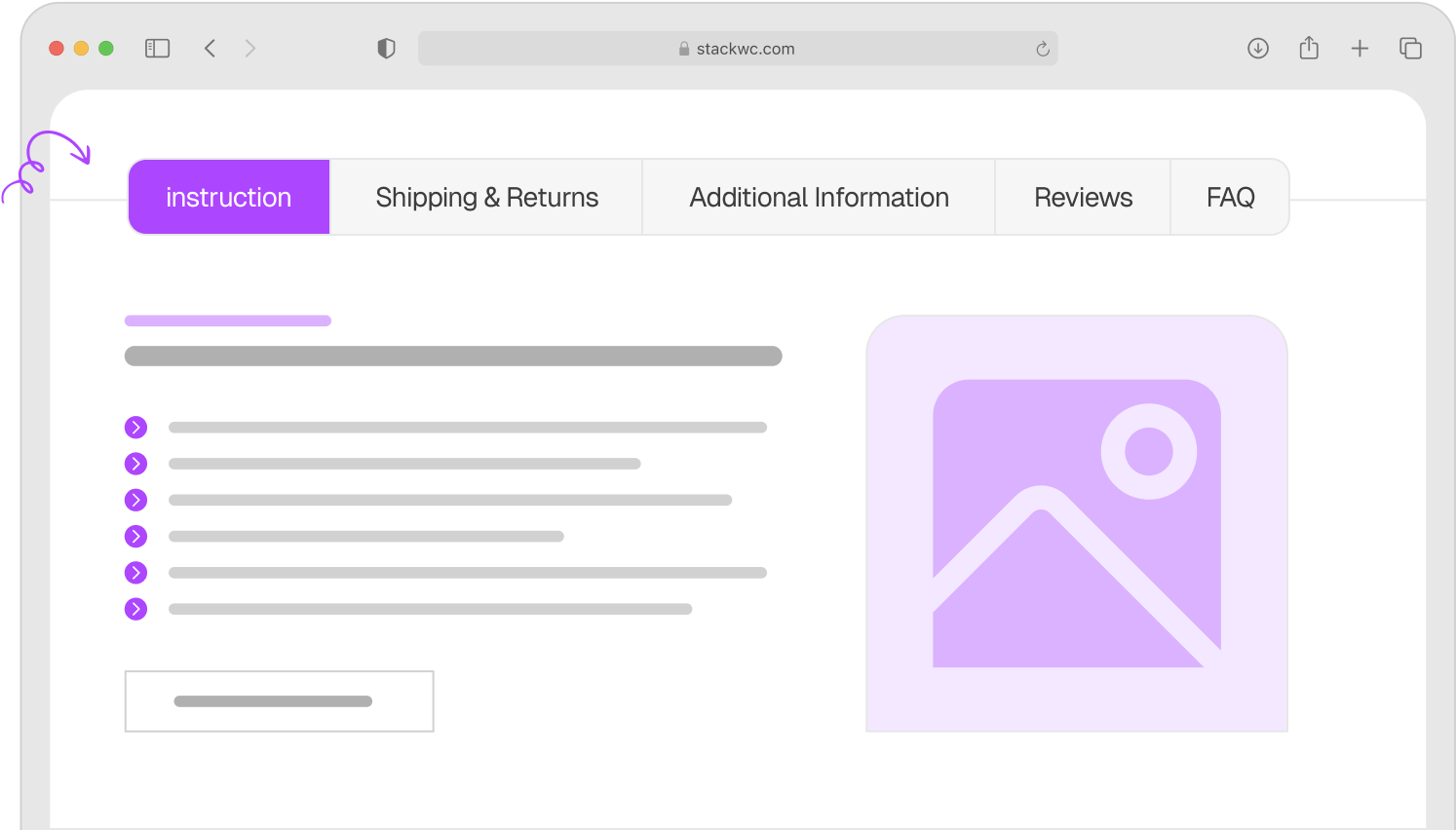
One great way to keep product pages clean and well-organised is by using Product Tabs for WooCommerce. You can break your content into tabs like “Description,” “Shipping Info,” and “FAQs” so shoppers find what they need without scrolling through walls of text.
5. Add Social Proof Everywhere
Shoppers trust other shoppers more than they trust your product description. That’s just human nature.
If your store doesn’t show reviews, ratings, or any sign that real people have bought from you new customers feel uncertain. And uncertain customers don’t buy.
How to add social proof:
- Enable WooCommerce product reviews under WooCommerce → Settings → Products
- Send a post-purchase email asking customers to leave a review (use AutomateWoo or Yotpo)
- Show a star rating prominently on product and shop pages
- Add a “X people bought this recently” or “X items left in stock” notice
- Display any press mentions, certifications, or awards in your footer or homepage
Even just 5–10 genuine reviews on your top products can noticeably improve your conversion rate.
6. Make Your Store Mobile-Friendly
Over 60% of eCommerce traffic now comes from smartphones (Statista). If your store is hard to use on mobile, you’re losing more than half your potential customers.
How to improve mobile experience:
- Open your store on your phone right now and try to buy something note every frustration
- Make sure buttons are large enough to tap without zooming in
- Use a responsive theme that adjusts cleanly to all screen sizes
- Shorten your checkout form mobile users hate typing
- Test your store on both Android and iPhone regularly
The easiest fix? Switch to a mobile-optimised WooCommerce theme if you haven’t already. Themes like Astra and Storefront are free and mobile-ready out of the box.
7. Use Urgency and Scarcity (The Honest Way)
Creating a sense of urgency encourages people to act now instead of “thinking about it” which usually means never.
But here’s the key: keep it real. Fake countdown timers and fake “only 2 left!” notices destroy trust the moment a customer notices.
Honest urgency tactics that work:
- Show real stock levels WooCommerce does this automatically when stock is low
- Promote limited-time sales with a clear end date
- Highlight a same-day dispatch cut-off “Order before 2PM for same-day shipping”
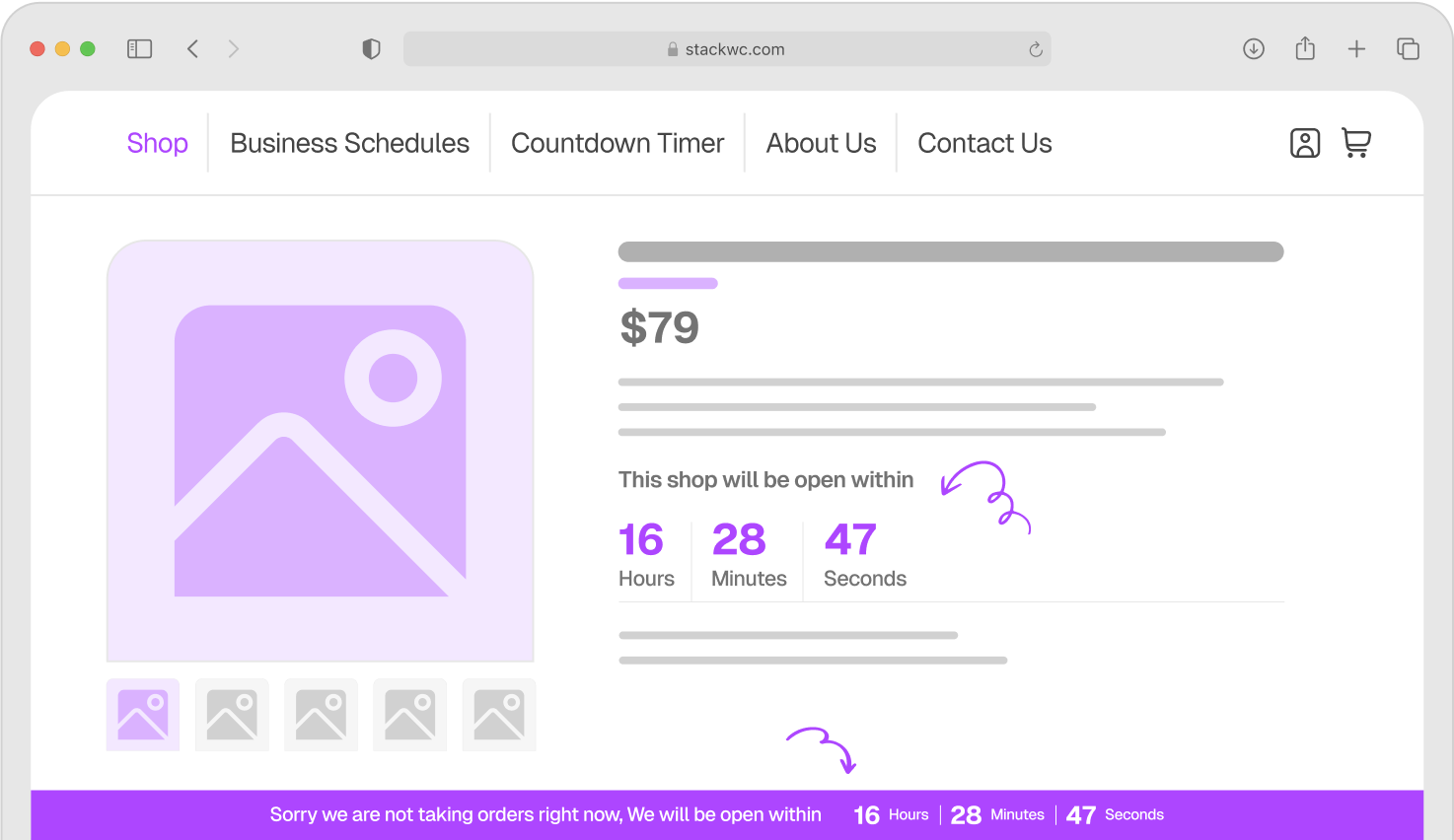
- Use a closing time countdown if you’re a local or service-based store Open Close Store for WooCommerce handles this well, showing customers exactly when orders close for the day
- Promote genuinely limited bundles or seasonal products
Urgency that’s honest always outperforms urgency that’s faked because it builds trust at the same time.
8. Offer the Right Payment Options
If someone’s ready to buy but their preferred payment method isn’t available they’ll leave. It’s that simple.
In 2026, customers expect flexibility at checkout.
How to expand your payment options:
- Go to WooCommerce → Settings → Payments and review what you currently offer
- Enable Stripe for credit/debit cards if you haven’t already
- Add PayPal it’s still one of the most trusted options worldwide
- Consider a Buy Now Pay Later option like Klarna or Afterpay especially for higher-ticket items
- If you serve local customers, add cash on delivery or bank transfer as fallback options
More payment options = fewer reasons to not buy. It’s a simple change with a real impact.
9. Set Up Upsells and Cross-Sells
Every order is an opportunity to increase your average order value. Upsells and cross-sells are how smart stores do it without being pushy.
How to set them up in WooCommerce:
- Go to any product in your dashboard and scroll down to Product Data → Linked Products
- Add upsells these are similar but better (or pricier) products shown on the product page
- Add cross-sells complementary items shown in the cart (e.g., “customers also bought…”)
- Keep recommendations relevant random suggestions feel spammy
- For more control, try a plugin like YITH WooCommerce Frequently Bought Together
Even a modest 10–15% increase in average order value can dramatically grow your monthly revenue without needing a single extra customer.
10. Keep Improving With Data
Here’s the one strategy most store owners skip: actually looking at the numbers.
If you don’t know which products are converting, where customers drop off, or which pages get the most traffic you’re guessing. And guessing is expensive.
How to use data to grow:
- Install Google Analytics 4 with the Site Kit by Google plugin
- Set up WooCommerce built-in reports under WooCommerce → Reports or Analytics
- Check your top exit pages where are people leaving most often?
- Review your best and worst converting products monthly
- Run simple A/B tests try a different product image, title, or price point and see what performs better
You don’t need to be a data analyst. You just need to look at the numbers once a week and ask: “What’s working, and what isn’t?”
Common Questions
How long does it take to see results from these strategies?
Some changes like simplifying checkout or adding social proof can show results within days. Others, like SEO and speed optimisation, take a few weeks. Start with the quick wins and build from there.
Some changes like simplifying checkout or adding social proof can show results within days. Others, like SEO and speed optimisation, take a few weeks. Start with the quick wins and build from there.
Not for most of it. The majority of these strategies use built-in WooCommerce settings or beginner-friendly plugins. No coding required.
Start with checkout simplification and cart abandonment recovery. These two have the fastest and most measurable impact on revenue and you’re working with customers who already wanted to buy.
Always check that a plugin is regularly updated, has good reviews on WordPress.org, and is compatible with your current version of WooCommerce. Install new plugins on a staging site first when possible.
Conclusion
Growing your WooCommerce store in 2026 doesn’t have to be complicated. It’s about removing the small obstacles that stop customers from completing their purchase and then building the kind of experience that makes them want to come back.
Pick two or three strategies from this list and start there. Small, consistent improvements compound over time. A faster store, a cleaner checkout, a few genuine reviews these things add up to real growth.
Ready to streamline your store and sell more? Check out StackWC’s plugin suite built specifically for WooCommerce store owners who want powerful results without the technical headache. Every plugin comes with a 14-day money-back guarantee. No risk, fully supported, no coding needed.
Your next sale is closer than you think.