
Introduction
You’ve done everything right. Your WooCommerce store looks great. Your products are priced competitively. Traffic is coming in. But here’s the frustrating part people add items to their cart and then just… leave.
Sound familiar?
You’re not alone. Cart abandonment is one of the biggest challenges facing online store owners. It’s like watching someone fill their shopping basket in your physical store, walk right up to the checkout counter, and then abandon everything at the last second.
In this post, you’ll discover why customers abandon their carts and learn practical, proven strategies to reduce cart abandonment in WooCommerce. We’ll cover quick wins you can implement today and show you exactly how to turn more browsers into buyers.
Let’s fix those leaky checkout funnels.
Why Cart Abandonment Is Killing Your Sales
Here’s the hard truth: the average cart abandonment rate across all industries sits around 70%. That means seven out of every ten customers who add something to their cart never complete the purchase.
Think about what that means for your business. If you’re getting 100 people to add products to their cart, only 30 are actually buying. You’re losing 70 potential sales every single time.
According to the Baymard Institute, the top reasons customers abandon their carts include unexpected shipping costs, complicated checkout processes, being forced to create an account, and concerns about payment security. Even small friction points can send customers running.
The financial impact adds up quickly. If your average order value is $50 and you’re losing 70 carts per day, that’s $3,500 in potential revenue walking away daily. Over a month, that’s $105,000 in lost sales.
But here’s the good news: cart abandonment isn’t a permanent problem. With the right tweaks to your WooCommerce store, you can recover a significant portion of those lost sales and boost your conversion rate dramatically.
Proven Strategies to Reduce Cart Abandonment
Let’s dive into the solutions that actually work. These aren’t theoretical ideas they’re battle-tested strategies that WooCommerce store owners use every day to turn abandoned carts into completed purchases.
Simplify Your Checkout Process
Your checkout should be as smooth as possible. Every extra step, every unnecessary form field, and every confusing element increases the chance someone will give up.
Here’s what you should do:
- Enable guest checkout – Don’t force people to create an account. Let them buy first, register later.
- Reduce form fields – Only ask for information you absolutely need. Remove optional fields entirely.
- Use a single-page checkout – Multiple checkout pages create friction. Keep everything on one screen when possible.
- Show progress indicators – If you must use multiple steps, show customers exactly where they are in the process.
The easier you make it to complete a purchase, the more people will actually finish.
Add a Quick Buy Now Button
Sometimes customers know exactly what they want. They don’t need to add items to a cart, review everything, and go through multiple steps. They just want to buy right now.
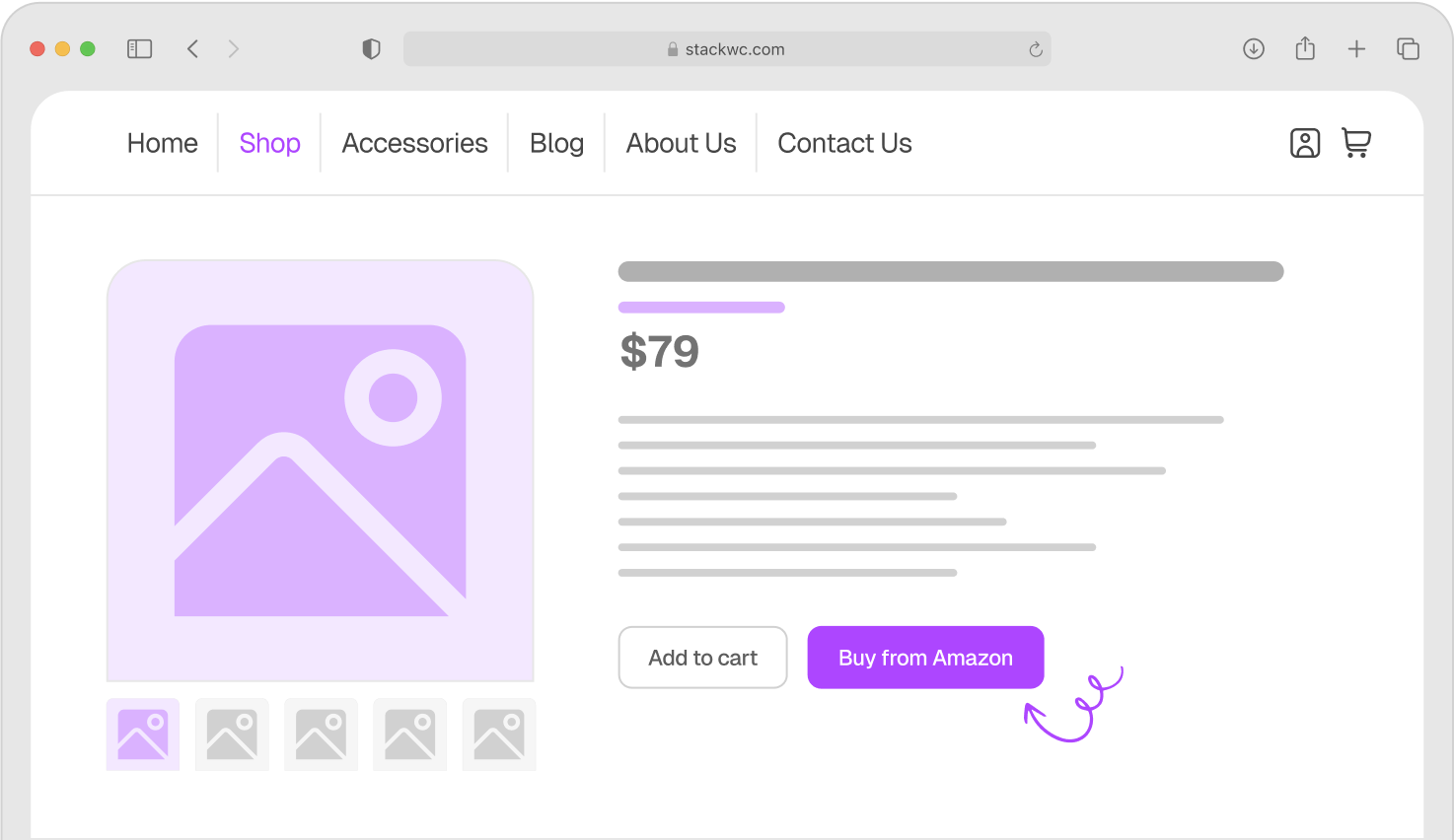
This is where a Quick Buy Now Button for WooCommerce becomes incredibly valuable. It lets customers skip the cart entirely and jump straight to checkout with a single click.
Quick Buy Now Button for WooCommerce
Here’s why it works:
- Reduces checkout friction – Fewer steps mean fewer opportunities to abandon
- Captures impulse purchases – Fast buying encourages spontaneous decisions
- Improves mobile experience – Mobile shoppers especially appreciate faster checkout
- Increases conversion rates – Direct checkout can boost conversions by 20-30%
The button sits right on your product page. Customer clicks it, goes straight to checkout, and completes their purchase in seconds. No cart abandonment because they never used the cart in the first place.
Be Transparent About Costs Upfront
Unexpected costs at checkout are the number one reason people abandon carts. Customers add a $30 item to their cart, proceed to checkout, and suddenly the total is $45 because of shipping and fees they didn’t know about.
That’s a trust-breaker.
Here’s how to fix it:
- Display shipping costs on product pages or early in the checkout process
- Show any fees or taxes before the final checkout step
- Consider offering free shipping thresholds (like “Free shipping on orders over $50”)
- Use a shipping calculator that lets customers estimate costs before adding to cart
Transparency builds trust. When customers know exactly what they’ll pay from the start, they’re far more likely to complete their purchase.
Offer Multiple Payment Options
Some customers won’t buy if they can’t use their preferred payment method. If you only accept credit cards, you’re losing customers who prefer PayPal, Apple Pay, or other options.
Add these payment methods to your WooCommerce store:
- PayPal and PayPal Express Checkout
- Apple Pay and Google Pay for mobile users
- Buy now, pay later options like Afterpay or Klarna
- Digital wallets for faster checkout
The more payment flexibility you offer, the fewer customers you’ll lose at the final step. Check out the WooCommerce payment gateway extensions to find options that work for your store.
Real-World Examples and Use Cases
Let’s look at how different types of WooCommerce stores are successfully reducing cart abandonment using these strategies.
Example 1: Fashion Boutique
A small online clothing store was losing 75% of their carts. They implemented a Quick Buy Now button on their best-selling items and enabled guest checkout. Within two weeks, their cart abandonment rate dropped to 62%, and their conversion rate increased by 18%. The Quick Buy Now button was especially effective on mobile, where 40% of their traffic came from.
Example 2: Digital Products Store
A store selling WordPress themes and plugins had a major problem, customers were abandoning carts because the checkout felt too complicated for digital products. They switched to a single-page checkout and added instant payment options like PayPal Express. Their abandonment rate fell from 68% to 51%, and average checkout time decreased from 4 minutes to 90 seconds.
Example 3: Handmade Goods Shop
An artisan crafts store found that unexpected shipping costs were their biggest problem. They added a shipping calculator to product pages and introduced free shipping on orders over $75. They also sent automated cart recovery emails to customers who abandoned their carts. These changes reduced abandonment by 22% and increased average order value by $15 as customers added more items to qualify for free shipping.
These examples show that you don’t need massive budgets or complicated solutions. Simple, strategic changes can make a huge difference in your bottom line.
Step-by-Step Implementation Guide
Ready to reduce cart abandonment in your WooCommerce store? Follow these steps to get started today.
Step 1: Analyze Your Current Checkout
Go through your own checkout process as a customer would. Time yourself. Count how many fields you have to fill out. Note anything confusing or frustrating. This firsthand experience will show you exactly where customers might be dropping off.
Step 2: Enable Guest Checkout
In your WordPress dashboard, go to WooCommerce → Settings → Accounts & Privacy. Check the box that says “Allow customers to place orders without an account.” This simple change can immediately reduce abandonment.
Step 3: Add Quick Checkout Options
Install the Quick Buy Now Button for WooCommerce to give customers a faster path to purchase. The plugin works right out of the box, no coding required. Configure where the button appears and customize the text to match your brand.
Quick Buy Now Button for WooCommerce
Step 4: Display Shipping Costs Early
Add a shipping calculator to your product pages or cart page. If you offer free shipping thresholds, display that information prominently on product pages with a message like “Add $25 more for FREE shipping.”
Step 5: Expand Payment Options
Review your current payment methods and add at least one or two alternatives. PayPal is a must-have. Consider adding Apple Pay or Google Pay for mobile shoppers. Each additional trusted payment method can recover 2-5% of abandoned carts.
Step 6: Test and Monitor
Use WooCommerce analytics or Google Analytics to track your cart abandonment rate over time. Monitor which changes make the biggest impact. Keep testing and refining your checkout process based on real data.
Step 7: Set Up Cart Recovery
Consider adding an abandoned cart recovery plugin that sends automated emails to customers who leave items in their cart. A gentle reminder 24 hours later can recover 10-15% of abandoned carts.
Ready to start recovering those lost sales? These steps are straightforward and don’t require any technical expertise.
Common Questions and Answers
While the industry average is around 70%, a well-optimized WooCommerce store should aim for 55-65%. If you’re below 60%, you’re doing better than most. Under 50% is exceptional and means your checkout process is working really well.
Most store owners see improvement within 1-2 weeks of implementing checkout optimizations. Quick wins like enabling guest checkout or adding a Quick Buy button can show results almost immediately. Larger changes like redesigning your entire checkout may take a month to fully assess.
Cart abandonment emails are highly effective and can recover 10-15% of lost sales. However, start with optimizing your checkout first. Fix the reasons people are abandoning before trying to win them back through email. A better checkout prevents abandonment in the first place.
Quick Buy buttons work best for simple products, fast-moving items, and impulse purchases. They’re perfect for fashion, accessories, digital products, and consumables. For complex products that need detailed configuration or customization, the traditional cart approach might work better.
Conclusion
Cart abandonment doesn’t have to drain your WooCommerce sales. With a simplified checkout process, transparent pricing, faster purchasing options, and flexible payment methods, you can dramatically reduce the number of customers who leave without buying.
Start with the quick wins: enable guest checkout, add a Quick Buy button, and display costs upfront. These changes alone can reduce your abandonment rate by 15-20% within weeks.
Remember, every percentage point you reduce cart abandonment translates directly into more revenue. If you’re losing $100,000 annually to cart abandonment and you reduce it by just 10%, that’s $10,000 back in your pocket.
Here’s your final tip: make your mobile checkout experience as smooth as possible. Over 50% of online shopping happens on mobile devices, and mobile users abandon carts at even higher rates than desktop users. Optimize for mobile first.
Ready to stop losing sales to cart abandonment?
Try Quick Buy Now Button for WooCommerce with a 14-day money-back guarantee. No risk, fully supported, no coding needed. Give your customers the fast, frictionless checkout experience they expect and watch your conversions grow.