
The Button That’s Costing You Sales
Buy Now vs Add to Cart – If you’ve ever noticed customers adding products to their cart and then disappearing, you’re not alone. This is one of the biggest conversion leaks in eCommerce. The truth is, the more steps between a customer and checkout, the more chances you give them to leave.
It happens every day in WooCommerce stores. A shopper is interested. They click “Add to Cart.” Then something pulls their attention away a notification, a phone call, a second thought and they never come back.
Here’s the frustrating truth: the more steps between a customer and checkout, the more chances you give them to leave.
So the real question isn’t just “which button looks better?” It’s which button actually turns browsers into buyers?
In this post, you’ll learn the difference between Buy Now vs Add to Cart, when each one works best, and how combining them the right way can seriously boost your WooCommerce conversions. Whether you run a small boutique shop or a growing online store, this is practical advice you can act on today.
Why the “Add to Cart” Button Alone Isn’t Enough
“Add to Cart” has been the default for e-commerce stores since forever. And it works for a certain type of shopper.
But customer behavior has changed dramatically. People shop on mobile while commuting, browsing during lunch breaks, or scrolling at midnight. Attention spans are short, and patience is shorter.
According to the Baymard Institute, the average cart abandonment rate sits at nearly 70%. That means roughly 7 out of every 10 people who add something to their cart never finish the purchase.
A big part of that drop-off? Too many steps.
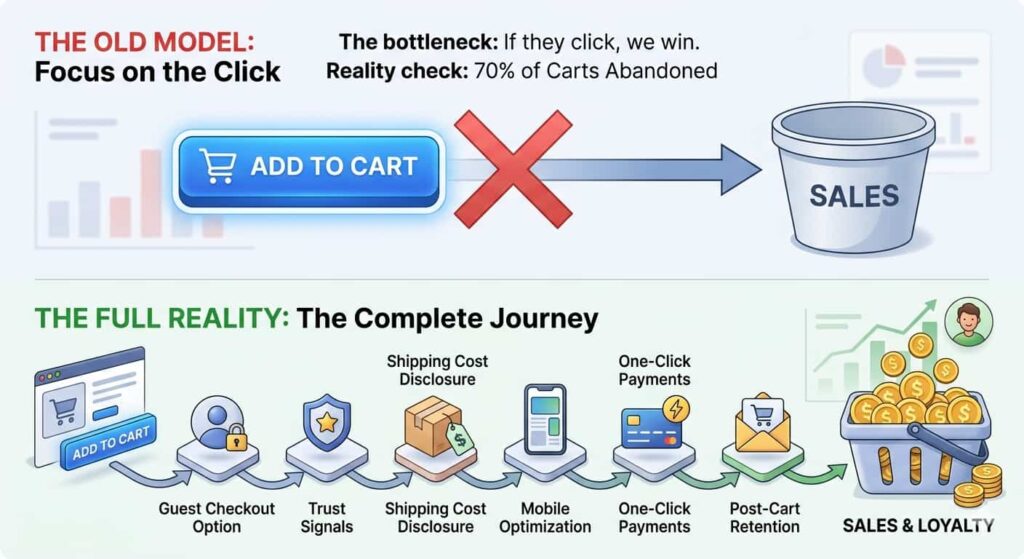
With a standard WooCommerce flow, a customer has to:
- Click “Add to Cart”
- Visit the cart page
- Review items
- Proceed to checkout
- Enter details
- Place the order
That’s a lot of friction. And friction kills conversions, especially on mobile where forms are fiddly and patience is thin.
The “Add to Cart” button is still valuable especially for shoppers comparing products or buying multiple items. But it wasn’t designed for the impulse buyer or the mobile shopper who just wants to buy the thing and move on.
That’s where “Buy Now” comes in.
The Solution: Using Both Buttons Strategically
The answer isn’t to replace “Add to Cart” it’s to add a “Buy Now” option alongside it.
Think about it like a physical store. Some customers browse leisurely, filling a basket as they go. Others know exactly what they want and just need to pay. A smart store serves both types of customers. Your WooCommerce store should do the same.
What Does “Buy Now” Actually Do?
A Buy Now button skips the cart entirely. When a customer clicks it, they’re taken directly to the checkout page product already loaded, ready to pay.
It’s faster. It’s simpler. And for the right customer at the right moment, it’s incredibly effective.
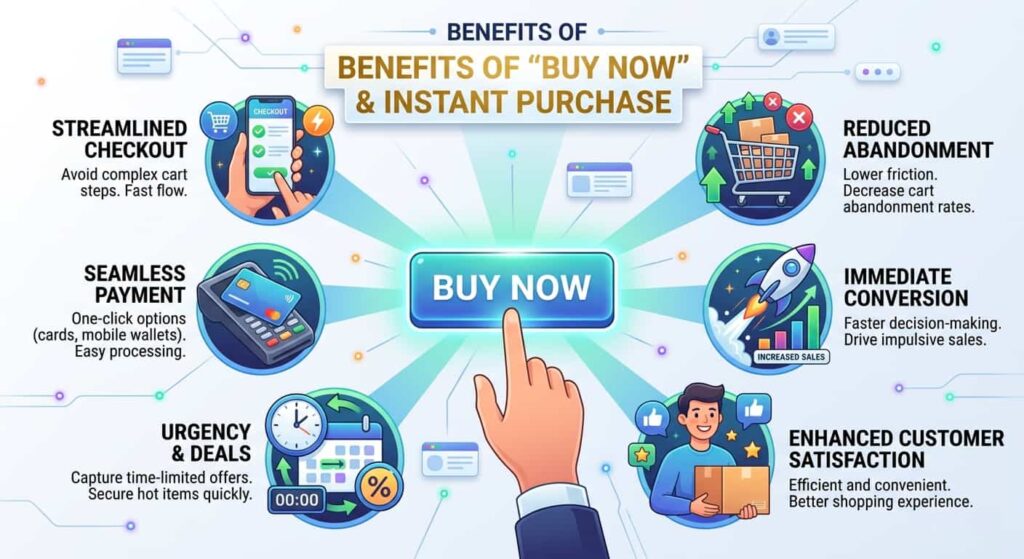
Key Benefits of Adding a Buy Now Button:
- Reduces checkout steps from 6+ down to 2–3
- Captures impulse purchases before the moment passes
- Improves mobile shopping where multi-step flows feel frustrating
- Reduces cart abandonment by removing friction entirely
- Increases conversions for single-product purchases and promotions
Key Benefits of Keeping “Add to Cart”
- Great for multi-item shopping customers building a larger order
- Gives shoppers time to continue browsing before committing
- Works well for complex products where customers need to review everything first
- Better for B2B or wholesale buyers placing considered purchases
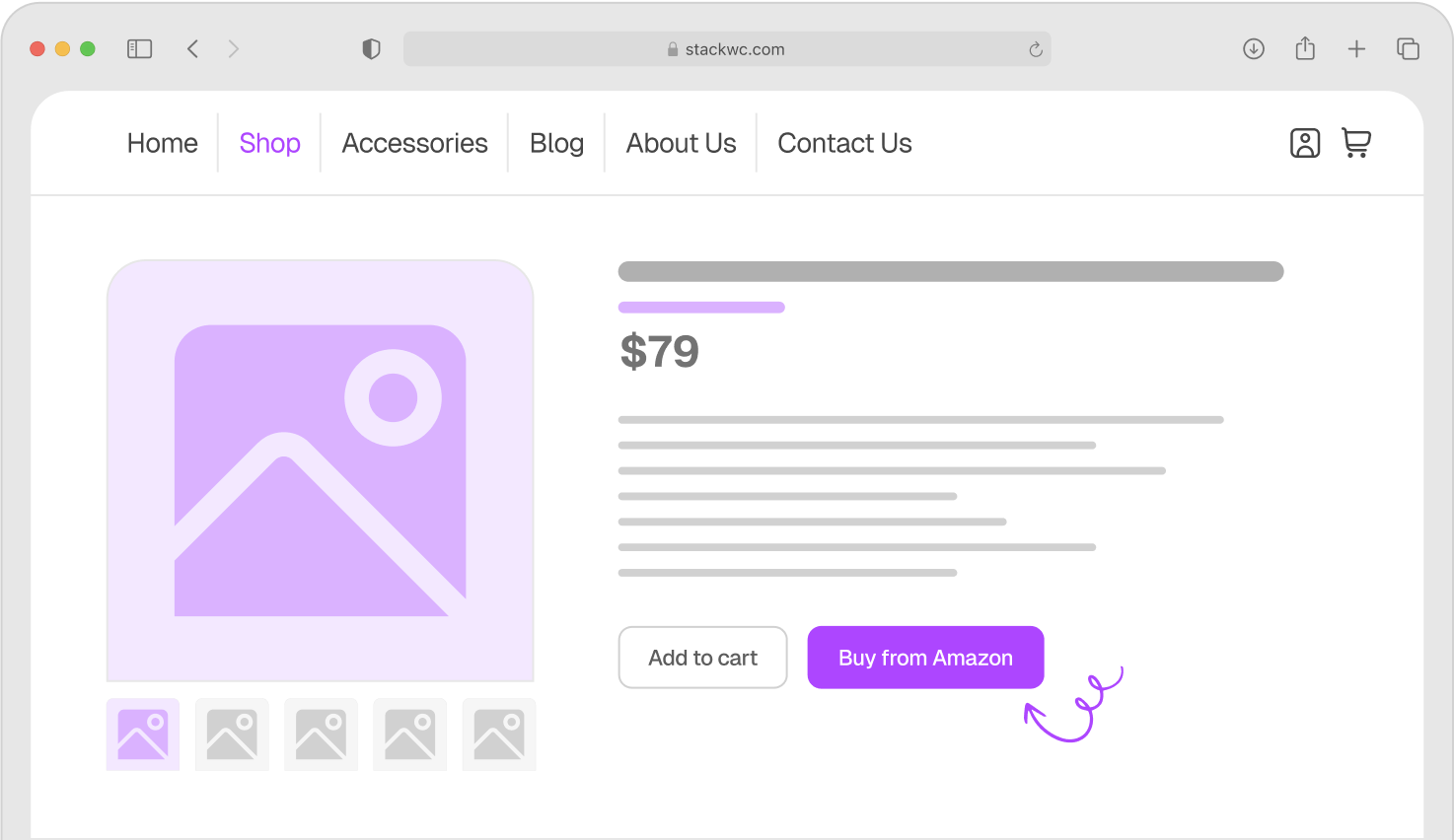
The smartest WooCommerce stores don’t choose one over the other. They use both and let the customer decide which path suits them.To add a clean, effective Buy Now button to your WooCommerce store without touching a single line of code, take a look at the Quick Buy Now Button for WooCommerce from StackWC. It lets you place a fast-checkout button directly on your product pages, right alongside your existing Add to Cart button.
Real-World Examples: Who Benefits Most?
Let’s look at how different types of stores use these buttons to their advantage.
Example 1: A Print-on-Demand Gift Shop
Sarah runs a small WooCommerce store selling personalised birthday gifts. Most of her orders are single items bought as last-minute presents.
Her customers are impulse buyers. They find the perfect mug or keyring, they’re emotionally ready to buy but the checkout process slows them down. By adding a Buy Now button, Sarah reduced her checkout abandonment by cutting the purchase journey from six clicks to two. More importantly, her mobile conversion rate which was previously much lower than desktop jumped significantly within the first month.
Example 2: A Fitness Supplement Store
Jake sells protein powders, vitamins, and fitness gear. His customers often buy 3–5 items per visit and like to compare options before committing.
For Jake, “Add to Cart” is essential. Customers build a full basket before checking out. But he also added a Buy Now button for his best-selling single products his top protein powder, featured in promotions and ads. Customers clicking from Instagram or email campaigns land on the product page and can buy in seconds. Two buttons, two different customer journeys, both optimised.
Example 3: A Digital Downloads Store
Priya sells digital templates and Canva graphics. Her products are low-cost, high-impulse purchases exactly the kind of thing people buy on a whim.
For Priya, the Buy Now button is a game-changer. There’s no physical product to consider, no sizing to check, no complex decision to make. Customers see it, want it, and with one click they’re at checkout. Her average time-to-purchase dropped dramatically after she added the button.
These examples show the same pattern: Buy Now works brilliantly for single purchases, promotions, and impulse buys. Add to Cart wins for multi-item or considered purchases. Use both, and you serve every type of customer.
How to Add a Buy Now Button to Your WooCommerce Store
Ready to set this up? Here’s how to do it without any coding knowledge required.
Step 1: Purchase and Download the Plugin Go to StackWC and purchase the Quick Buy Now Button for WooCommerce. Once your payment is complete, download the plugin ZIP file from your account dashboard.
Step 2: Upload and Install the Plugin In your WordPress dashboard, go to Plugins > Add New > Upload Plugin. Choose the ZIP file you downloaded and click Install Now.
Step 3: Activate the Plugin Click Activate once it’s installed. The plugin works straight out of the box.
Step 4: Open the Plugin Settings Go to WooCommerce > Settings and find the Quick Buy Now Button tab. This is where you customise how your button behaves.
Step 5: Set Your Button Destination Choose where the Buy Now button sends customers directly to checkout, a custom page, or a thank-you page. For most stores, direct to checkout works best.
Step 6: Customise the Button Text and Position Change the button label to anything you like “Buy Now,” “Get It Now,” “Order Today.” Position it above, below, or beside the Add to Cart button.
Step 7: Style the Button (Optional) Match the button to your store’s colours and branding. No CSS knowledge needed.
Step 8: Test It on Mobile Always test how the button looks and behaves on a mobile device. Most of your customers are probably shopping on their phones.
That’s it your store now gives customers the fast-checkout option they want. No code, no complexity.
Want to dig deeper into WooCommerce conversion optimisation? Check out Tutsflow for free tutorials and step-by-step guides built specifically for WooCommerce store owners.
Common Questions About Buy Now vs Add to Cart
Not at all. Having two buttons actually makes the experience clearer. Customers instinctively understand the difference. One button says “I want to keep shopping.” The other says “I’m ready to buy right now.” Most shoppers appreciate having the choice.
No keep both. Removing Add to Cart would hurt customers who want to buy multiple items in a single order. The two buttons complement each other perfectly. Think of Buy Now as an express lane, not a replacement.
Yes. When using Quick Buy Now Button for WooCommerce, the checkout process is still a standard WooCommerce checkout just with fewer steps. Coupons, shipping rules, and discounts all apply as normal.
Not at all. Orders placed via Buy Now flow through WooCommerce exactly like any other order. If you use Order Notification for WooCommerce, you’ll still receive your real-time audio alerts the moment a Buy Now order comes in nothing changes on the back end.
Conclusion: Give Your Customers the Fast Lane
Here’s the bottom line: both buttons have a job to do.
“Add to Cart” is great for thoughtful, multi-item shoppers. “Buy Now” is a lifeline for impulse buyers, mobile shoppers, and anyone who just wants to complete their purchase without the hassle.
The stores winning at conversion aren’t choosing one over the other they’re offering both and letting customers take the path that suits them.
One final tip: if you run seasonal sales, promotions, or paid ad campaigns, make sure your landing pages feature a prominent Buy Now button. People clicking from ads are already in a buying mindset don’t slow them down with extra steps.
Ready to reduce cart abandonment and convert more browsers into buyers? Try Quick Buy Now Button for WooCommerce from StackWC with a 14-day money-back guarantee. No risk, fully supported, no coding needed.